
CILT and ICTS are involved in a pilot project to investigate the technology process and use of lecture capture in 16 venues across UCT since 2011. Lecture recording is the process of recording a lecture to allow students to play back all or part of the lecture later as a review or self-study resource. For a brief introduction, see 7 Things You Should Know About Lecture Capture from the Educause Learning Initiative.
The number of venues at Health Sciences (including Red Cross and Valkenberg Hospitals) equipped with lecture capturing capabilities grew from two to eight. Staff teaching in these venues are approached individually for consent to have their lectures recorded. Most staff in second and third year MBChB have given consent and are recorded.
Lecture recording is not a replacement for face-to-face teaching or interaction with students, but can be an important supplementary resource. Students benefit by being able to:
Pay closer attention during the lecture (freed from detailed note-taking).
Review content in their own time, in their own location and with their peers.
Catch up on missed lectures.
Improve understanding of the material.
Provide richer content and improved access to content for students with disabilities.
At UCT, the lecture recording service is limited to a number of venues, managed and supported by CILT and ICTS. Please click here for the list of supported venues.
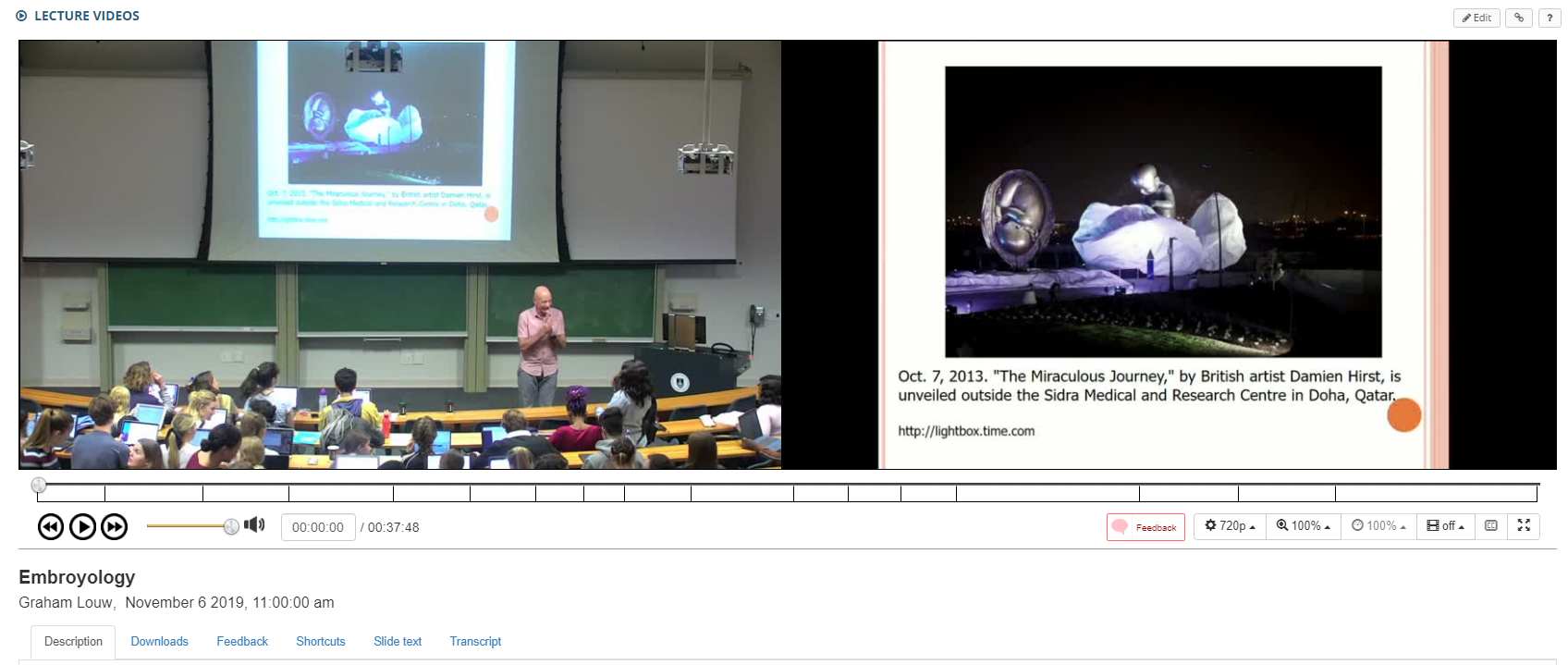
What does the recording look like? Here is a recording from a lecture by Prof Louw.
Video Recording
The EduTech Division recognises the value of videos as a teaching tool, in particular, video clips can be used to replay sequences, drawing attention to details some students may have missed, or where the interpretation differed among students. Audio-visual material can greatly facilitate teaching and learning by stimulating active learner participation in the interpretation and analysis of real or simulated activities.
The Division, therefore, does offer a video recording service if certain conditions are met. In particular if the material will be used in teaching and learning. In some instances, a small fee will also be levied, which goes towards offsetting the cost of acquiring the camera and equipment.
Keep in mind that video recording in different venues has a number of challenges, in particular lighting, sound and being able to accurately capture any interaction which happens. Recording in a studio would allow more control over the environment – i.e. lighting and sound, which will result in a recording of quality which should satisfy most lecturers and users.
The OneButton Studio
Discover the power of seamless integration with the One Button Studio (OBS), the ultimate tool for enhancing your lectures. Rethink the way you teach and learn with automated video recording capabilities. The OBS has two fully automated recording studios and a third podcast and audio booth that are available for both standard use and customisable recording needs. These studios are available to enable the teaching and learning environment at UCT by providing opportunities to integrate into teaching practices. No previous video recording experience needed.
If you need any advice regarding video recording or would like more information, please contact edu-helpdesk@uct.ac.za